
Introduction
Excel spreadsheets have served Singapore’s safety teams for years, but they are no longer adequate for the complexity and regulatory scrutiny that modern risk assessment demands. Digitalizing risk assessment RA forms and moving beyond Excel spreadsheets is now a priority for construction firms, manufacturers, and industrial operators who need audit-ready documentation, real-time reporting, and consistent data across multiple teams and projects. Digital risk assessment software in Singapore is replacing fragmented excel files with cloud-based WSH management systems that enforce standardised workflows from hazard identification through control implementation and review.
This article is written for safety engineers, operations teams, and digital transformation leads operating under Singapore’s WSH Act, bizSAFE, and ISO 45001 frameworks. The focus is on workplace safety and health risk assessments-not financial or enterprise risk-and draws on the consultancy perspective of MOSAIC Ecoconstruction Solutions, which regularly supports organisations in structuring and digitising their risk management processes while showing how risk is evaluated when moving from Excel to digital systems.
Cloud-based WSH documentation automation is more reliable and audit-ready than Excel because it enforces mandatory fields, maintains a secure audit trail of who created or approved an assessment, and eliminates version control conflicts that plague spreadsheet based risk management. Digital systems maintain timestamped change logs, support reassessment after incidents or control failures, auto-calculate risk ratings, and provide centralized dashboards that allow management to track open hazards instantly.
By reading this article, you will:
-
Understand the limitations of Excel-based RA forms for WSH compliance and safety performance
-
Learn what digital risk assessment software Singapore providers typically offer
-
See how cloud-based RA systems keep documentation audit-ready for MOM inspections, bizSAFE, and ISO 45001
-
Get a practical migration roadmap from RA spreadsheets to digital forms
-
Recognise change management considerations for safety and operations teams
Understanding Digital Risk Assessment for WSH
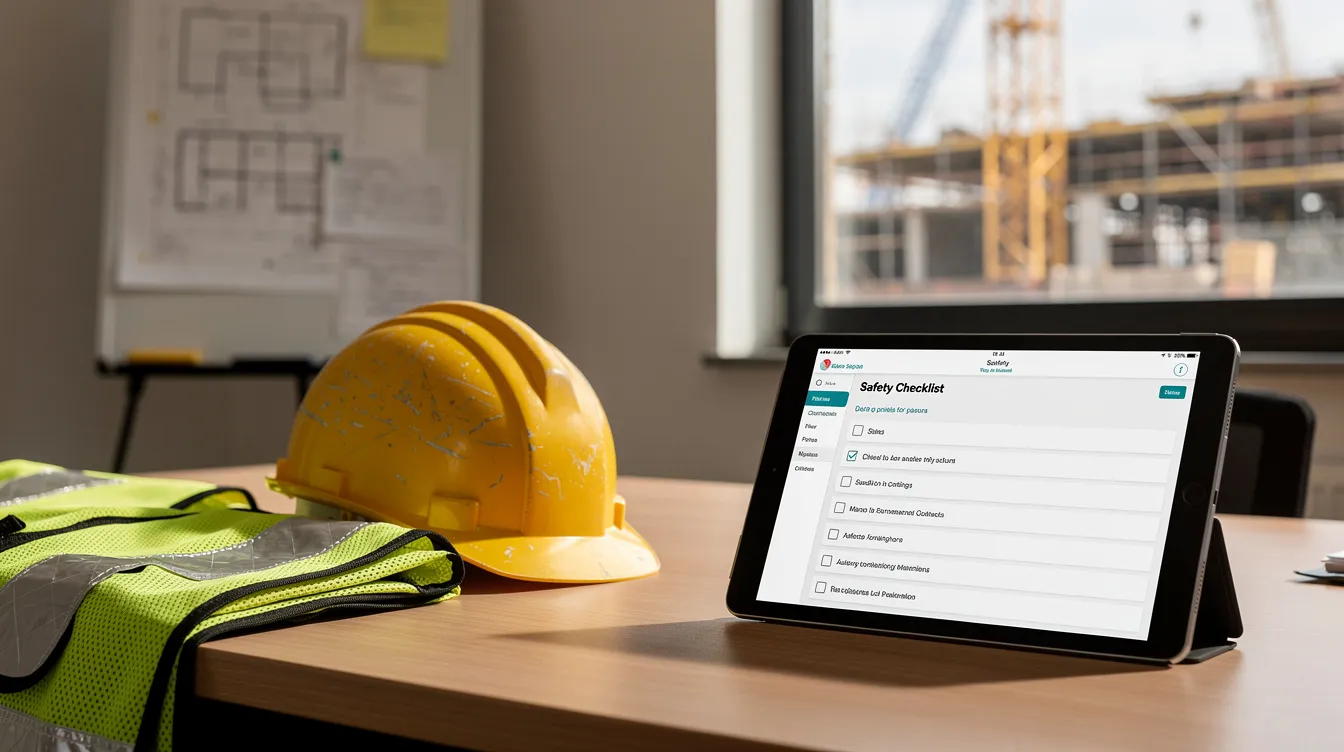
Digital risk assessment for Workplace Safety & Health means replacing static documents-paper forms and Excel templates-with interactive, cloud-hosted systems that manage the full risk management process: risk registers, RA forms, Permit-to-Work workflows, incident links, and management reviews. In the Singapore context, this directly supports the regulatory requirements set out under the WSH (Risk Management) Regulations, which mandate documented hazard identification, risk evaluation using likelihood and impact matrices, control measures, and periodic review-at least every three years or sooner after incidents or process changes.
Digitalization matters now because projects are more complex, subcontractor networks are broader, and audits under frameworks like bizSAFE and ConSASS are increasingly implementation-focused. The ConSASS 2020 revision, for instance, reduced audit questions from 348 to 204 (a ~41% reduction) while increasing the proportion of implementation-focused questions from 37.9% to 50.9%. Auditors want evidence that controls are implemented-not just documented on paper.
From Paper & Excel RA Forms to Cloud-Based Systems
The evolution is clear: hardcopy RA forms gave way to Excel templates, which are now giving way to cloud-based WSH management systems with online RA modules. On a typical Singapore worksite today, Excel-based risk management still dominates-multiple versions of RA spreadsheets circulate via email, printed copies sit in site offices, and safety coordinators spend hours reconciling which excel file is current.
Cloud platforms replace this file-based sharing model with centralised forms, role based access controls, and live dashboards. But digital RA is not simply “Excel online.” It fundamentally changes how risks are created, approved, tracked, and reviewed. Automated workflows in digital platforms eliminate the “lost in email” problem common with Excel, where approvals stall, reviews are missed, and accountability is unclear. Digital risk assessments facilitate real-time collaboration without version control conflicts-a persistent workflow problem when multiple people edit the same spreadsheet.
Core Components of a Digital RA Form: Including Residual Risk
A digital RA form contains the same essential fields as its Excel predecessor, but enforces them systematically:
-
Activity description and work location
-
Hazards identified (from standardised dropdown libraries)
-
Existing controls in place
-
Risk rating (Likelihood × Severity), auto-calculated
-
Residual risk after additional controls
-
Additional controls with implementation deadlines
-
Person-In-Charge (PIC) / risk owner
-
Review dates and risk status
-
Approval signatures with timestamps
What digital forms add are mandatory fields and standardized scoring matrices that prevent inconsistent submissions. Digital assessment forms can enforce standard terminology and scoring criteria for consistency-no more “slip/trip” in one RA and “trip/slip” in another. Change logs, photo attachments, method statements, and linkages to related permits or incidents become part of the record automatically.
These components map 1:1 from Excel but are enforced by the system, eliminating missing data and formula errors. Understanding this structure is essential before evaluating whether to keep relying on spreadsheets or move to specialized platforms.
Why Moving Beyond Excel Matters for RA in Singapore
With the foundational concepts established, the practical implications become clear. Three areas drive the shift toward digital risk assessment software Singapore organisations are now adopting: compliance, operational efficiency, and data quality. Modern organizations require ongoing risk evaluation, not annual assessments-and Excel was never designed for continuous risk management.
Compliance and Audit-Readiness Under WSH Regulations
Singapore’s WSH (Risk Management) Regulations require employers to document risk assessments, review them periodically, and provide evidence of implementation. MOM inspections, bizSAFE Level 3 audits (which require engagement with a SAC-accredited Auditing Organisation), and ISO 45001 certification audits all demand traceable RA updates, approvals, and implementation evidence.
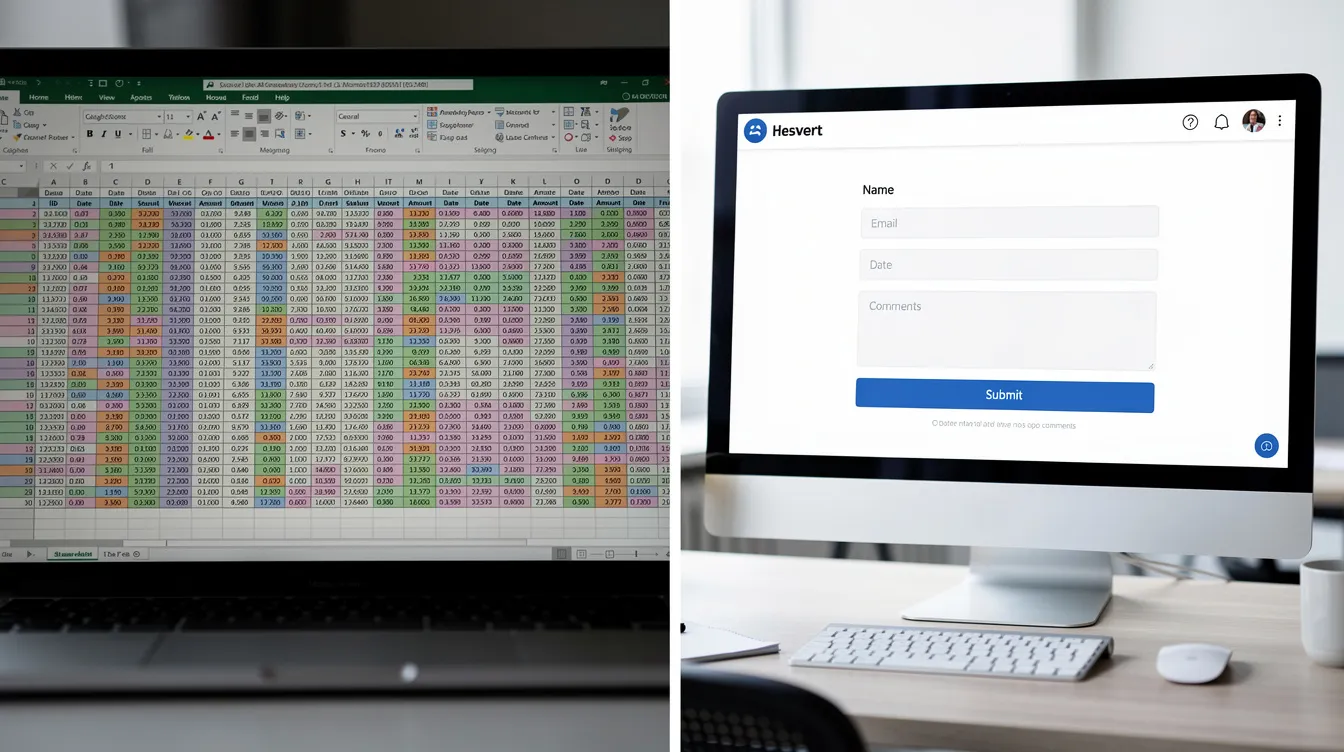
Excel limits audit readiness severely. Missing change history makes it impossible to prove when a RA was reviewed. Scattered RA files across project folders mean auditors cannot quickly verify which version is current. Review dates are often blank because nothing forces their completion. Digital systems support compliance by tracking requirement changes automatically, providing timestamped approvals, one-click audit exports, and complete version histories. During a MOM WSH inspection, the difference between retrieving a record in seconds versus searching through folders can determine whether a non-conformity is raised.
Operational Efficiency, Action Tracking, and Reducing Administrative Drag
Safety coordinators on Singapore worksites currently spend significant time on risk related activities that add no safety value: reconciling RA versions, printing hardcopies, chasing signatures, and manually updating risk matrices in Excel. Manual updates can make risk information outdated by the time it reaches decision-makers, and the process is time consuming for everyone involved.
Cloud-based WSH management systems automate these recurring tasks. Digital notifications can help ensure timely risk reviews and actions. Auto-calculated risk scores remove formula errors. Pre-filled data from hazard libraries and templates eliminate redundant data entry. Automated systems can reduce manual data entry burdens significantly.
Consider a construction main contractor overseeing 15–20 active projects with many subcontractors. Previously, such an organisation might spend 10–15 hours per week reconciling RA versions and chasing approvals. After adopting a cloud-based RA module integrated with PTW workflows, firms in similar situations often report reducing RA administrative time by 30–40%-time redirected to site supervision, toolbox talks, and proactive safety monitoring.
Data Quality, Consistency, and Insights
Nearly 90% of spreadsheets contain errors, according to research on operational spreadsheets-with 0.8–1.8% of formula cells containing errors in audited samples. When risk rating calculations, severity scales, or likelihood definitions vary across departments, the organization’s overall risk posture becomes unreliable. Inconsistent hazard naming (“working at height” vs “height work”) makes it impossible to identify patterns across projects.
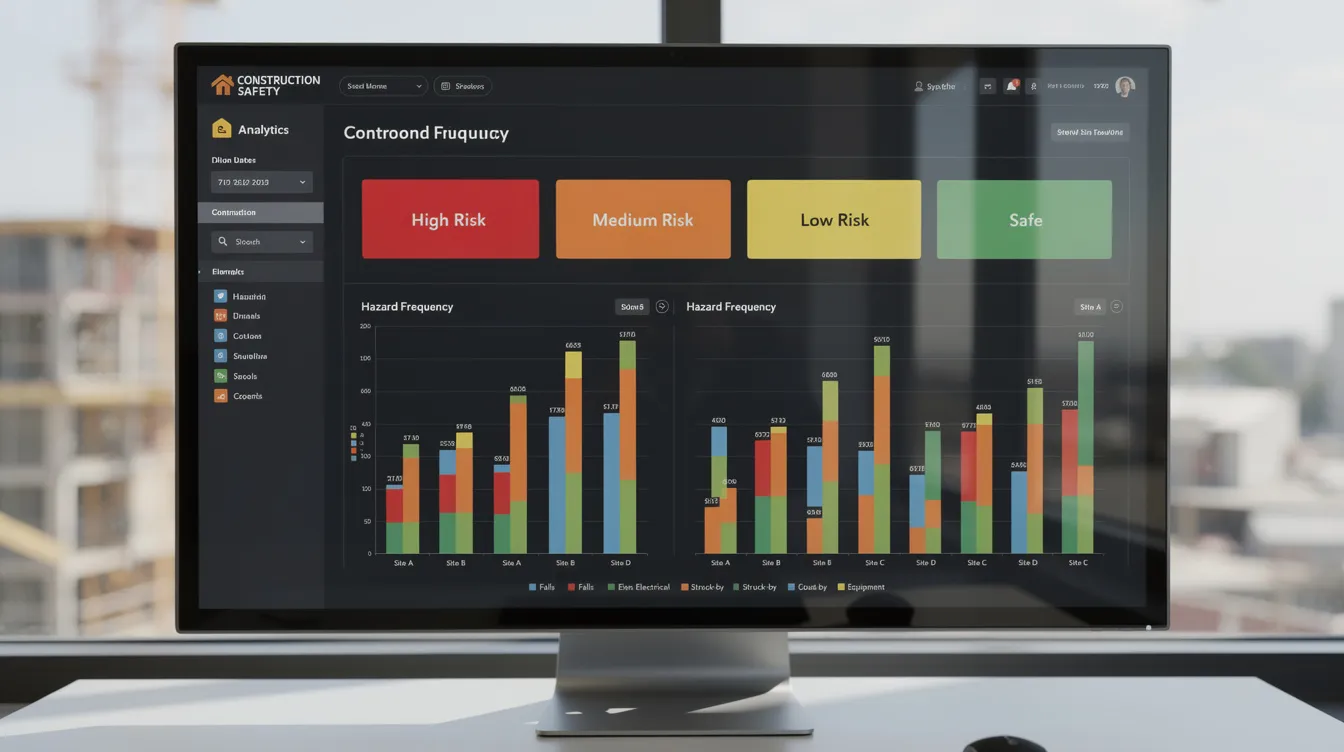
Digital systems standardise picklists, scoring logic, and templates for specific trades-scaffolding, hot work, lifting operations, confined space entry. Centralised digital RA data enables cross-site analytics: real time dashboards showing top recurring hazards, high risk items, overdue treatment actions, and leading versus lagging indicators in a heat map format. Transitioning from Excel to digital risk assessments modernizes data collection and improves tracking, transforming RA data from a compliance burden into a strategic asset for HSE and operations leadership. Digital risk registers provide centralized risk information that risk teams and risk professionals across the organization can rely on.
Designing a Digital RA Approach for Your Organisation
With the benefits of moving beyond spreadsheet based risk management established, the next step is structuring a digital RA framework aligned with Singapore WSH requirements. At MOSAIC Ecoconstruction Solutions, we often start with a client’s current Excel RA samples-reviewing what works, what’s missing, and what needs standardisation before any software is configured.
Standardising RA Methodology Before You Digitalise
Before selecting any software, review existing RA templates across projects and subsidiaries. Identify differences in matrices (3×3 vs 5×5), terminology, sign-off levels, and organizational thresholds for acceptable risk. Many teams discover that subcontractors, departments, and even individual safety officers use different scales, making aggregation meaningless.
Adopt a single corporate RA methodology aligned with ISO 45001 and bizSAFE Level 3 requirements: define likelihood and severity criteria, risk rating bands (colour-coded), the ALARP principle, control categories (engineering, administrative, PPE), and review triggers. Establish a center of excellence for standardized risk methodologies across the organization. This standardisation must happen before configuring digital risk assessment software so how risk is scored and accepted remains consistent after digitalization; otherwise you digitise inconsistency.
Mapping Excel RA Fields to Digital Forms
Take an existing Excel RA sheet and map each column and field into a digital form builder. This is where you improve data structure during the transition:
-
Convert free-text columns (e.g., “Department,” “Trade”) into dropdown lists with controlled vocabularies
-
Use lookup tables for common hazards aligned with WSH guidelines (working at height, confined space, lifting operations, electrical work)
-
Replace manual formula cells with system-calculated risk scores based on your standardised matrix
-
Add mandatory fields that Excel often leaves blank: risk owner, implementation deadline, verification of control effectiveness, inherent risk before controls
Mandatory fields and standardized scoring matrices in digital tools prevent inconsistent submissions-a critical difference from Excel where any cell can be left empty. MOSAIC can support this mapping and validation as part of a digital transformation project for your risk assessment process.
Integrating RA Forms With Other WSH Processes
Digital RA forms deliver their greatest value when connected to other WSH processes. Effective risk management requires these linkages:
-
Permit-to-Work (PTW)** workflows**: When a PTW is raised for hot work, work at height, or lifting, the relevant RA is automatically referenced
-
Incident and near-miss reporting** modules**: When an incident is logged, related RAs are auto-suggested for immediate review, connecting identified risks with actual outcomes
-
Training records and competence matrices: Linking crane operator certifications, safety supervisor qualifications, and refresher schedules to the risk ownership assignments in each RA
Integrating existing enterprise systems can enhance the effectiveness of digital risk assessments. These integrations support continuous improvement loops required by ISO management systems—when incidents or control failures are recorded in an incident report, the linked RA is flagged for review, and the risk management system closes the loop. Digital platforms provide better validation and faster incident reporting compared to Excel.
With design principles in place, the next step is a practical implementation roadmap.
Implementing Cloud-Based WSH RA Software: A Practical Roadmap
This section walks through a step-by-step implementation process tailored to Singapore-based firms, from pilot to full rollout. A consultancy like MOSAIC Ecoconstruction Solutions plays a key role in facilitating change, aligning technology choices to regulatory requirements, and ensuring the system serves operational risk management-not just IT objectives.
Step-by-Step Implementation Process
Identifying common pain points in Excel forms is crucial before transitioning to digital platforms. Phased implementation is most effective for risk management technologies.
-
Assess current RA practices: Collect all Excel templates from every project and department. Review RA quality, completeness, and consistency. Document pain points-missing signatures, outdated reviews, inconsistent matrices, time spent on manual updates.
-
Define requirements: Specify what the system must support-multi-project capability, mobile access on worksites, bilingual forms if needed, offline mode, integration with PTW and incident reporting. Clarify data residency expectations and compliance with Singapore data protection requirements.
-
Select a digital RA / WSH platform: Evaluate against criteria including cloud hosting compliant with Singapore data requirements, offline mobile capability, audit trail depth, action tracking features, and cost effectiveness for your organisation’s size. Local platforms such as NGT’s eSafe, ExpertRA, BES SHELL, and RNP TECH’s e-WSHMS each offer different strengths.
-
Configure templates and permissions: Set up role based access-safety officer, site supervisor, subcontractor, management-each with defined permissions. Configure your standardised RA template, hazard libraries, and approval workflows. This is where decision speed improves: approvals that took days via email happen same-day via app.
-
Pilot with 1–2 projects or plants: Limit scope to validate workflows, test offline modes under real site conditions, and fine-tune based on feedback from supervisors and safety officers. Comprehensive training programs are critical for successful technology adoption. Training stakeholders early supports adoption of digital risk assessment processes.
-
Scale up and continuously improve: Plan phase-by-phase rollout, schedule refresher training, and define KPIs-RA review compliance rate, overdue control actions, administrative hours spent, audit non-conformities. Continuous risk management is essential in today’s fast-paced business environment.
Realistic timelines for Singapore SME contractors: 6–12 weeks for pilot configuration and training, then 1–3 months additional to scale across multiple sites. Larger contractors with many subcontractors may require longer depending on integration needs.
Excel vs Digital RA Platform and Risk Management System: Side-by-Side Comparison
|
Criterion |
Excel / Spreadsheets |
Cloud-Based Digital RA |
Hybrid (Excel + Cloud Storage) |
|---|---|---|---|
|
Version control & access |
Multiple copies; version control becomes difficult with multiple spreadsheet copies |
Single source of truth; real-time access for multiple teams |
Improved storage, but version conflicts persist |
|
Audit trail & change history |
None unless manually tracked; Excel lacks real-time updating capabilities for risk profiles |
Full change log with timestamps, user IDs, and exportable reports |
Partial-file history only, no field-level tracking |
|
Notifications & reminders |
None; risk reviews can be missed if not tracked properly |
Automated alerts for overdue reviews, expiring controls, pending approvals |
Manual calendar reminders required |
|
Integration with PTW / incident / training |
Separate documents; no linkage |
Integrated modules with cross-referencing |
Separate systems; manual cross-referencing |
|
Analytics & real time dashboards |
Manual chart creation; conditional formatting only |
Aggregated heat maps, trend analysis, leading indicators |
Limited to individual file analysis |
|
Suitability for bizSAFE / ISO audits |
Weak-difficult to prove review dates, approvers, changes |
Strong-audit-ready exports, timestamped evidence |
Moderate-better storage but lacks enforcement |
|
Monitor risks across sites |
Manual collation from multiple sources |
Centralised dashboard across all projects |
Requires manual consolidation |
For a very small company with a single low-risk worksite, Excel with disciplined file management can still meet minimum regulatory requirements. But once an organisation manages multiple projects, subcontractors, or high-risk activities, a digital platform becomes essential for effective risk management. Many local vendors and consultants-including MOSAIC-support migration from Excel to specialized platforms.
Ensuring User Adoption and Change Management
Resistance from supervisors and safety coordinators accustomed to Excel and printed RA forms is real. Many teams have worked with the same spreadsheets for years, and change feels unnecessary to those on the ground. Digital systems improve collaboration across departments in risk management, but only if people use them.
Recommended strategies:
-
Involve end users in configuration and pilot testing: Let site supervisors shape the form layout and workflow; they know what works in the field
-
Run focused training sessions using real site scenarios-not abstract software demos. Show how the system handles a risk assessment for construction they recognise
-
Provide quick-reference guides and designate onsite champions at each project who can troubleshoot and encourage adoption
-
Secure visible management support: leadership must set expectations that the digital RA system is now the “single source of truth” and that relying on parallel Excel files is no longer acceptable
MOSAIC supports organisations with training, toolbox talks focused on new RA workflows, and ongoing coaching to embed ownership and accountability in daily practice.

Common Challenges When Digitalizing RA Forms-and How to Solve Them
Many Singapore companies begin digital RA projects with enthusiasm but stall due to data migration issues, process fragmentation, or cultural resistance. Each challenge below includes a practical, WSH-focused solution.
Fragmented RA Templates Across Projects
Problem: Different sites and subcontractors use their own Excel RA formats-different matrices, different terminology, different sign-off structures. Centralisation feels impossible when many teams have entrenched habits.
Solution: Run a template harmonisation workshop with representatives from each project or business unit. Define a master RA standard. Configure it as the mandatory default in the digital system. Phase out legacy Excel versions with clear deadlines-beyond a set date, only RAs submitted through the digital system are accepted.
Data Migration From Legacy Excel Spreadsheets
Problem: Years of RA records scattered across shared drives and personal folders, often inconsistent or incomplete. Data migration requires careful planning to ensure accuracy.
Solution: Prioritise which RA sets to migrate-focus on high-risk activities, active projects, and any RAs approaching their review dates. Use import tools where available, or perform manual clean-up for critical data only. Archive older files but do not attempt to migrate everything. Going forward, the new system becomes the authoritative risk register.
Connectivity Limitations on Worksites
Problem: Remote worksites, basements, and underground operations often have poor internet connectivity, making real-time cloud access unreliable.
Solution: Select platforms with proven offline mobile capability. Define clear procedures: site personnel complete RA forms offline on mobile devices during shifts and sync when connectivity is restored. Allow export of PDFs for printed reference if site conditions demand it. This hybrid approach preserves the benefits of digital while accommodating site realities.
Over-Complicated Digital Forms
Problem: Attempting to capture every possible field results in long, intimidating forms that discourage completion-or worse, produce superficial “tick-box” entries with no real risk thinking.
Solution: Start with essential WSH and compliance fields only. Use conditional logic to reveal advanced sections when relevant (e.g., show “confined space” fields only when that hazard type is selected). Review usage analytics after the first quarter and remove rarely used fields. The focus should be on quality of risk information, not quantity of form fields.
Unclear Ownership of Digital RA Process
Problem: Uncertainty over whether safety, operations, or IT leads the digital RA system means issues fall through the cracks. Templates become outdated, user permissions drift, and nobody owns system maintenance.
Solution: Assign a clear process owner-typically the HSE Manager-with defined support from a digital transformation or IT lead. Formalise responsibilities for system administration, content updates, user training, and periodic reviews. Ownership must be documented, not assumed.
With these challenges anticipated and addressed, organisations can fully realise the benefits of digital RA-reduced risk exposure, stronger compliance, and more time for the safety work that actually prevents harm.
Conclusion and Next Steps
Excel RA forms served their purpose, but the limitations of spreadsheet based risk management are now a liability in Singapore’s regulatory and operational environment. Digital RA platforms provide the control, traceability, and efficiency that modern WSH standards demand-from dynamic risk assessment on fast-moving sites to multi-project oversight for large contractors. Digitalizing risk assessment forms improves real-time reporting and accessibility across teams, while automated systems reduce manual updates and errors in risk management.
Immediate next steps:
-
Audit your current RA spreadsheets and identify pain points-missing fields, inconsistent matrices, overdue reviews
-
Define your minimum digital RA requirements: compliance features, workflows, integrations with PTW and incident reporting
-
Run a small pilot with a cloud-based WSH management system for one project or facility
-
Build a rollout and training plan based on pilot lessons learned
-
Establish KPIs: RA review compliance rate, time spent on RA administration, audit non-conformities related to RA documentation
Beyond RA forms, consider how digitising incident reporting, e-PTW systems, and integrated safety dashboards can further strengthen your organisation’s WSH culture and risk posture.
MOSAIC Ecoconstruction Solutions helps organisations plan and execute their RA digitalization roadmap-from initial assessment of current practices through platform selection, template configuration, and team training. Contact us for a consultation or on-site assessment to move your risk management activities beyond Excel.
Additional Resources and Visuals
This section provides genuinely useful reference material for safety engineers and digital transformation leads planning their RA digitalization journey.
Recommended resources:
-
MOM Singapore’s WSH Code of Practice on Risk Management (Third Revision, 2021): The definitive reference for RA form requirements, review cycles, and documentation standards in Singapore. Available through the WSHC publications portal.
-
bizSAFE Level 2 and Level 3 requirements: Level 2 involves developing a risk management plan; Level 3 requires implementation and audit by a SAC-accredited Auditing Organisation. Understanding these levels helps define minimum digital RA capabilities.
-
MOSAIC’s guide to WSH risk assessment compliance: A comprehensive overview of risk assessment methodology aligned with Singapore regulations.
-
MOSAIC’s training and advisory offerings: Covering risk assessment methodology, digital WSH systems implementation, and safety management system development.
Visual aids to support your digitalization planning:
-
Digital RA lifecycle diagram: Identify hazards → Assess risk (L × S) → Approve RA → Implement controls → Monitor and review → Archive with full audit trail. Each stage maps to a system workflow rather than a manual handoff.
-
Comparison mockup: A side-by-side view of an Excel RA sheet (with blank fields, inconsistent formatting, no change history) versus a digital RA form (with enforced dropdowns, auto-calculated scores, timestamped approvals, and attached photos).
-
Integration flowchart: Shows how a digital RA connects to PTW issuance, incident reports, training records, and management dashboards within a unified cloud-based WSH system-demonstrating the continuous improvement loop that ISO 45001 requires.
FAQs on Digitalizing RA Forms and Moving Beyond Excel
These FAQs address common objections and detailed questions from safety engineers and digital transformation leads considering the shift from spreadsheets to digital RA tools.
Is Excel still acceptable for RA under Singapore WSH law?
Yes-the WSH (Risk Management) Regulations prescribe what must be documented, not which tools to use. A small company with a single low-risk operation can technically meet minimum requirements with a well-maintained Excel file. However, Excel lacks real-time updating capabilities for risk profiles, cannot enforce mandatory fields, and provides no audit trail. For any organisation with multiple projects, subcontractors, or higher-risk activities, relying on Excel creates significant compliance risk during MOM inspections or bizSAFE audits, especially when teams need to see how risk is being reassessed consistently across different projects.
How much does digital risk assessment software in Singapore typically cost for an SME contractor?
Costs vary by scope and model. Platform-based solutions for SMEs start from approximately S$500 for core documentation packages (e.g., BizSAFE-focused suites). Subscription-based service models combining software with safety officer support range from around S$650/month for micro-SMEs to approximately S$2,500/month for higher-risk operations. Key cost drivers include number of users, projects, integration depth, and whether consultancy support is bundled. The cost effectiveness compared to traditional consultancy-where similar work commonly costs S$1,200–S$1,500-makes digital solutions attractive, with some platforms claiming up to 60% cost savings.
Can we migrate existing RA forms directly into a digital system?
Partially. Most platforms offer import tools for structured data, but legacy Excel RAs are often inconsistent-different formats, missing fields, outdated terminology. The practical approach is to prioritise migration of active and high-risk RAs, perform manual clean-up for critical data, and archive older records. Data migration requires careful planning to ensure accuracy, and attempting to migrate everything usually wastes more time than it saves.
How do digital RA systems help during MOM inspections or bizSAFE / ISO audits?
Digital systems maintain a secure audit trail of who created or approved an assessment, with full change logs and timestamped records. During an audit, safety officers can retrieve any RA-current or historical-in seconds, demonstrate review cycles with documented evidence, and export compliance-ready reports. This contrasts sharply with the common scenario of searching through folders of spreadsheets trying to locate the correct version. Digital risk monitoring enhances visibility into open risks and actions, which auditors increasingly expect to see.
What if some subcontractors still insist on using their own Excel RA forms?
This is common on multi-contractor worksites. Two approaches work: require all subcontractors to use your standardised digital RA template (enforced through contract terms), or have the main contractor’s safety team convert submitted Excel RAs into the central system. The first approach is cleaner and more sustainable. The key is setting clear deadlines and providing subcontractors with training and access to the platform.
How long does it take for site teams to get comfortable with digital RA?
Based on typical Singapore implementations, most site supervisors and safety officers reach functional competence within 2–4 weeks of focused training using real site scenarios. Full comfort-where the digital system feels faster and easier than Excel-usually develops within 2–3 months of regular use. Onsite champions, quick-reference guides, and management backing accelerate this significantly. AI-driven analytics and intelligent platforms that enable proactive risk management through continuous monitoring represent the future of these systems, and early adopters gain a significant advantage as dynamic risk evaluation is now expected by regulators in many sectors.