
Introduction
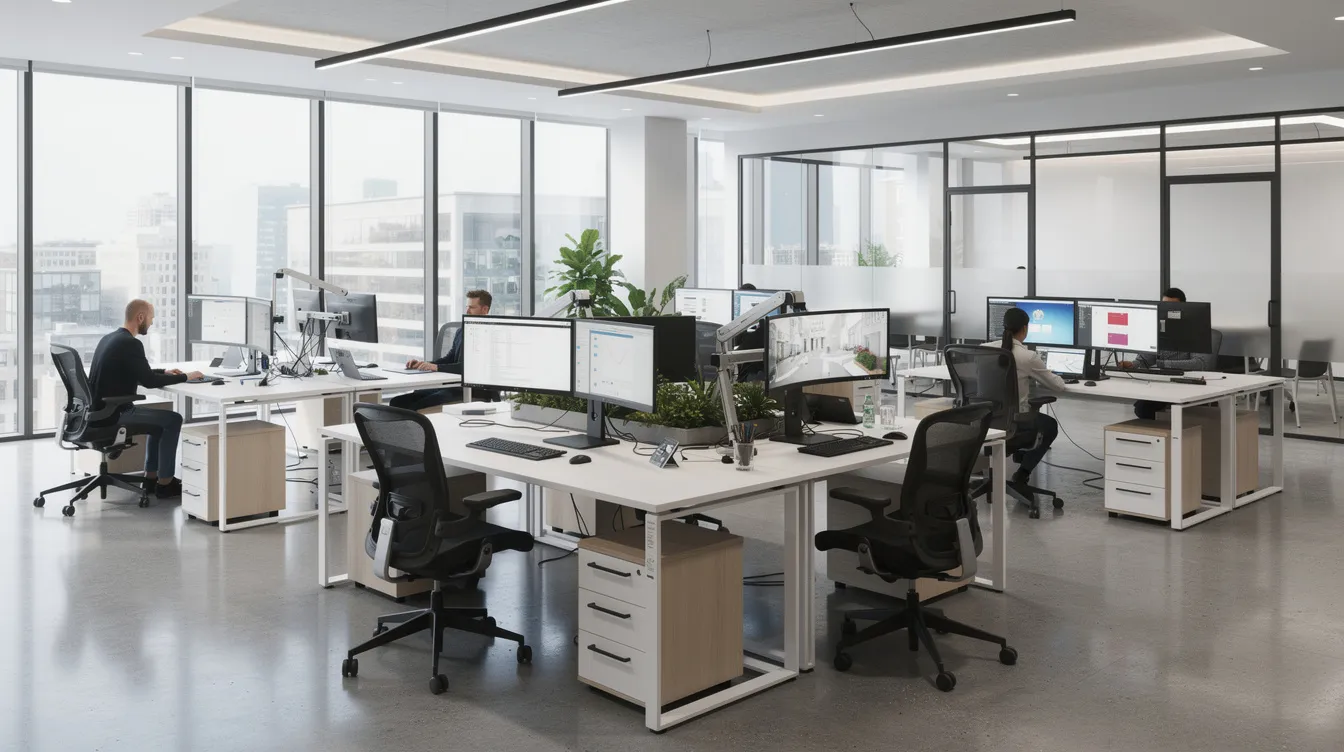
Tech offices in Singapore must manage ergonomic risks as seriously as any construction site manages fall hazards. WSH for the office tech sector managing ergonomics is not a wellness perk-it is a legal duty under the Workplace Safety and Health Act that applies to every employer, including software firms, fintech startups and digital agencies. Office safety guidelines Singapore employers follow must cover workstation design, display screen equipment, hybrid work setups and the everyday tasks that cause musculoskeletal strain, eye fatigue and overload burnout among knowledge workers. MOM and the WSH Council have made it clear: ergonomics workspace MOM obligations require structured risk assessments, control measures and ongoing monitoring, regardless of whether a workplace has heavy machinery.
This article is written for HR professionals in tech firms, facility and office managers, people ops leads and startup founders operating in Singapore. The scope covers ergonomic and office WSH risks-posture, work-related musculoskeletal disorders (WRMSDs), DSE work, hybrid and hot-desking hazards-and does not extend to fire safety, chemical exposure or heavy industrial risks. If your team spends most of its day at screens, in sprint cycles or on back-to-back virtual calls, this content is for you.
In short: to comply with Singapore’s WSH framework, tech offices must identify ergonomic risk factors through structured risk assessments, design and adjust workstations per SS 514 and MOM guidelines, implement engineering and administrative control measures, train staff to recognise physical signs and emotional signs of strain, and build a workplace-wide ergonomic culture that helps people overcome burnout and avoid the broader negative effects on well-being, relationships and physical health while sustaining high performance.
By reading this article you will learn how to:
-
Identify the top ergonomic hazards in office tech settings
-
Align with MOM and WSH risk management requirements for office work
-
Set up practical, role-based workstation guidelines for developers, designers and support staff
-
Build a sustainable ergonomic culture in high pressure environments and reduce overwhelming stress through ergonomic and work-design controls
-
Recognise when to engage external WSH professionals like MOSAIC Ecoconstruction Solutions for audit, training or design-for-safety advice
Understanding WSH in the Office Tech Sector
Workplace safety is often associated with hard hats and scaffolding, yet the statutory WSH framework in Singapore applies with equal force to every software company, SaaS provider, digital agency and shared-services centre. Ergonomic risks, psychosocial work factors and environmental hazards are all recognised under WSH duties, even when the most dangerous equipment in the room is a swivel chair. Singapore’s shift towards Total WSH-encompassing mental health, illness prevention and workplace health alongside injury prevention-reinforces that tech offices are squarely within scope as the nation works toward its WSH 2028 targets.
What Workplace Safety and Health (WSH) Means for Offices
WSH refers to the statutory duty under the Workplace Safety and Health Act and subsidiary legislation requiring all workplaces to ensure the safety, health and welfare of employees. In a tech office context, this translates to managing hazards arising from prolonged screen time, high cognitive load, sedentary work patterns, repetitive typing and mouse use, and the mental strain of overly demanding job expectations during product sprints, which may also be driven by the demands of one’s job rather than posture or equipment issues alone. Workplace ergonomics aims to fit tasks to workers, and Singapore’s regulatory framework treats failures to do so as genuine compliance gaps.
Key regulatory references include the WSH (Risk Management) Regulations, the Singapore Standard SS 514:2016 Code of Practice for Office Ergonomics, WSH Council guidelines on improving ergonomics in the workplace, and MOM advisories on WRMSD prevention. Employers must conduct risk assessments covering all work activities-including seated desk work-implement reasonably practicable control measures, provide information and training, and monitor workplace health performance. Ergonomic hazards such as awkward postures, repetitive keyboard and mouse use, and improper display screen equipment setup are explicitly recognised hazards under WSH risk management in Singapore.
Dispelling the “Construction-Only” WSH Myth
The common perception that WSH is only relevant to construction, manufacturing or logistics is contradicted by Singapore’s own occupational disease data. In the WSH Performance report for 1H 2025, work-related musculoskeletal disorders made up about 26% of occupational disease cases-second only to noise-induced deafness. Work-related musculoskeletal disorders are top reported occupational diseases in Singapore, and from 2020 to mid-2024, the country recorded an average of approximately 338 WRMSD cases per year, with 91% involving back injuries and the remainder affecting upper limbs. The WRMSD incidence rate per 100,000 workers rose from roughly 8.4 in 2019 to approximately 11.5 in 2021, a trajectory that includes office-based roles.
Consider typical office-tech risk scenarios: software engineers working 10–12 hour coding days, analysts on trading desks processing data across multiple screens, product teams locked in back-to-back virtual calls, and hybrid staff rotating between a home dining table, a co-working hot desk and a CBD office with no consistent setup. Over 70% of Singapore office workers report pain in one body region, according to a SingHealth/SGH study of 324 respondents-with neck pain at 46%, shoulder pain at 42% and low-back pain at 42%. Women reported higher prevalence at 78.8% compared to 63.9% for men.
Despite these numbers, many tech firms underinvest in adjustable chairs, monitor arms and staff training, treating ergonomics as a cosmetic upgrade rather than a workplace safety necessity. This misunderstanding leads to gaps in budgeting, absent risk assessments for office tasks, and no Total WSH programmes for tech staff. Ergonomics is, in fact, the most visible and fixable component of WSH for tech offices-and the logical starting point for any improvement effort.
Core Ergonomics Concepts for Tech Workspaces
Workplace ergonomics is the discipline of fitting the job to the worker rather than forcing the worker to adapt to a poorly designed environment. In digital and knowledge work, this extends well beyond “nice chairs” to encompass physical workstation design, cognitive load management and organisational policies that shape how everyday tasks are performed. HR and facilities teams need to understand these foundational concepts before drafting any office safety guidelines.
Physical Ergonomics: Workstations, Posture and Movement
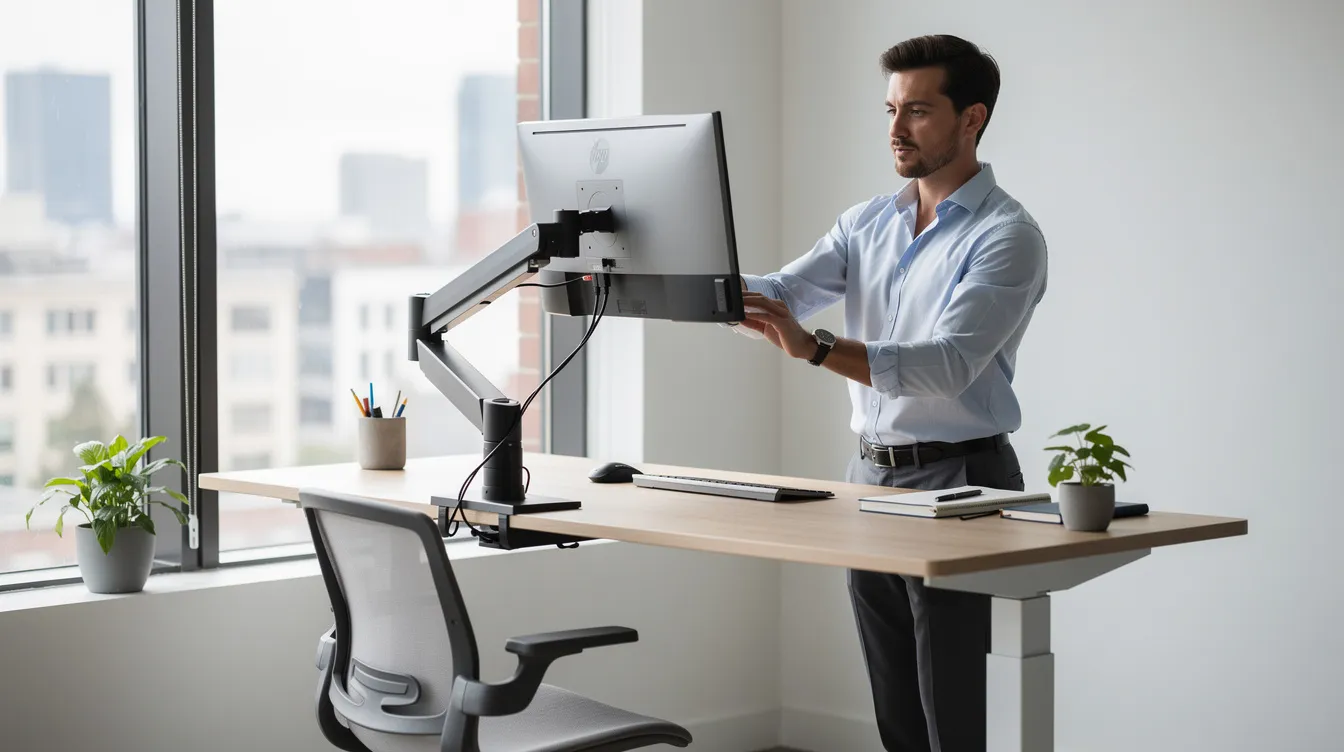
Physical ergonomics concerns the design of workspaces, workstations and tools to match human body capabilities and limitations. For a typical Singapore tech office, this means desk layout, monitor height and distance, keyboard and mouse placement, chair design (seat depth, lumbar support, armrests), the ability to alternate between sitting and standing, and sufficient space for movement. Adjustable desks promote alternating between sitting and standing, which is important because prolonged sitting increases load on the spine and neck, and musculoskeletal disorders can result from prolonged static postures.
Neutral posture for a developer or analyst at a workstation involves hips and knees at approximately 90–100° angles, feet flat on the floor or supported by a footrest, the back supported by the chair’s lumbar curve, shoulders relaxed with elbows close to the body at roughly 90–100°, and wrists in a neutral position-not flexed or extended. Monitor top should be positioned at or slightly below eye level, with the screen at roughly arm’s length (50–70 cm depending on screen size). Neutral wrist positions prevent strain during keyboard use, and the keyboard should sit flat or at a slight negative tilt.
Prolonged static sitting, reaching forward to view low laptop screens, and working from sofas or beds in hybrid setups drive WRMSDs affecting the neck, shoulder, back and wrist. These are not minor complaints-they represent occupational consequences that can escalate over time through a gradual process of tissue damage. MOM/WSHC guidance and the SS 514:2016 Code of Practice for Office Ergonomics provide normative benchmarks for workstation design, including recommended seat dimensions, primary and secondary reach zones, optimal monitor positioning, manual handling guidance and lighting levels.
Cognitive & Organisational Ergonomics: Workload, Burnout Symptoms and Digital Tools
Cognitive ergonomics addresses the mental processes involved in work-attention, memory, decision-making and information processing. Organisational ergonomics examines how tasks, workflows, schedules and policies are structured. In tech offices, heavy multitasking and context switching across tools like Slack, Jira, Git and CRM dashboards, combined with alert fatigue and back-to-back virtual meetings, create significant mental load. When people feel overwhelmed by too many responsibilities and have little or no control over their schedule, the stress response intensifies and burnout occurs.
Poor workflow design and unrealistic sprint cycles interact with physical strain to create compound WSH risks. Cognitive overload during long focus periods reduces the likelihood of taking regular breaks, encourages static posture, and raises muscle tension in the neck and shoulders. This psychological pattern-where unrelenting stress, emotional exhaustion and reduced performance feed into each other-can lead to depression burnout if left unaddressed, and personality traits can also affect how vulnerable a worker is to overload and exhaustion in the same high-pressure environment. Understanding these concepts allows office leaders to move from ad-hoc fixes to structured ergonomic risk management that addresses both the body and the nervous system.
Key Ergonomic Risk Factors in Singapore Tech Offices
With the foundational concepts established, this section identifies the specific high-risk scenarios most common in the office tech sector. These are the risk factors that ergonomic assessments identify in workplace setups across Singapore-from CBD towers to suburban co-working hubs.
Prolonged Screen Time and Static Postures
Software engineers, data analysts and UX designers routinely sit for 8–12 hours with minimal movement. Regular breaks are essential to mitigate fatigue in the workplace, yet many tech workers skip them during product launches, overnight shifts supporting global teams, or intense coding sprints. The consequences include eye strain, headaches, neck and lower-back pain, and early WRMSD symptoms. The 20-20-20 rule helps reduce eye strain during screen use-every 20 minutes, look at something 20 feet away for 20 seconds-but adoption remains low in environments where staff feel guilty about pausing. Compounding work factors such as “always-on” communication expectations and performance KPIs that reward speed over sustainability make this one of the most prevalent office WSH risks.
Poor Monitor, Laptop and Input Device Setup
Using laptops without external displays forces forward neck flexion and hunching, a common cause of feeling tired and developing chronic neck pain. Where dual monitors are used but arranged too wide, excessive neck rotation results. Proper workstation setup can boost productivity in office work, but only when monitors are positioned directly in front of the user, at appropriate height and distance. Developers and analyst setups with triple screens placed too high force an upward gaze that strains the upper back. Narrow desks, armrests that collide with desk edges, and mice too small for intensive use by designers or QA testers add further physical strain. Proper lighting helps control screen-related strain in office settings, yet many workstations face windows without blinds, creating persistent glare.
Repetitive Typing, Mouse Use and Shortcuts
Coders, data entry staff, CRM-heavy customer success teams and digital marketing professionals perform high volumes of repetitive keystrokes and precision mouse movements every day. Encouraging task variety reduces repetitive strain injuries, but many roles involve sustained, identical motions for hours. Risks include carpal tunnel syndrome, tendonitis and forearm strain. Trackpad overuse on laptops compounds wrist problems. The absence of micro-breaks and the cultural expectation of uninterrupted productivity create conditions where habitual burnout and physical injury develop in parallel.
Hybrid Work, Hot-Desking and Co-working Spaces
Hybrid policies adopted widely since 2023 mean staff frequently work from dining tables, cafés or ad-hoc hot desks without ergonomic adjustability. During IT onboarding, include equipment issuance and setup guidance, especially when someone is settling into a new job and may otherwise adopt poor workstation habits early. In hot-desking corporate offices, workstations vary in chair height, monitor size and lighting, making consistency impossible without deliberate standards. Singapore’s compact CBD offices and co-working hubs often lack storage for personal ergonomic accessories, so employees rotate through suboptimal setups daily.
Support Roles and Non-Desk Tech Staff
Receptionists, pantry support staff, IT hardware technicians and AV/event teams face different but equally important ergonomic risks. Prolonged standing at reception counters, frequent lifting and carrying of monitors and CPUs, pushing equipment trolleys across uneven floors, and bending or kneeling for cable management all create exposure to workplace injuries. These roles often get overlooked in “office ergonomics” programmes that focus exclusively on seated desk work, yet they fall squarely under the same WSH obligations and should be included in every ergonomic risk assessment.
Aligning Ergonomics with Singapore WSH Requirements
Ergonomic risk management is not optional wellness-it is core legal compliance under Singapore’s WSH framework. Even SMEs, startups and digital agencies must conduct WSH risk assessments and implement controls for office and remote work tasks. Treating ergonomics as a discretionary benefit is a common way companies neglect burnout prevention and WSH duties simultaneously.
WSH (Risk Management) Regulations and Ergonomics
The WSH (Risk Management) Regulations, as amended with effect from 1 January 2025 by S 1019/2024, require employers to take all reasonably practicable steps to eliminate foreseeable risks and, where elimination is not reasonably practicable, implement measures to minimise risk. This obligation covers all work activities-including prolonged sitting, awkward postures at laptops, manual handling of IT equipment, and repetitive keyboard and mouse use.
Ergonomic assessments identify risk factors in workplace setups, and employers must document these assessments, maintain records, and review them at least every three years or whenever there is a change in work practices, equipment or office layout. A change to hybrid working arrangements, a new office fit-out, or a report of discomfort from staff all trigger a review obligation. Early reporting of discomfort allows for proactive workstation modifications, which is why embedding ergonomic hazards in your risk register is essential rather than treating them as afterthoughts.
Relevant Codes of Practice and Singapore Standards
The SS 514:2016 Code of Practice for Office Ergonomics is the definitive Singapore standard for office workstation design. First introduced in 2005 and updated in 2016 to address mobile device ergonomics, height-adjustable tables and considerations for older workers, it contains detailed recommendations for seating, reach zones, monitor positioning, lighting and environmental factors. The WSH Council’s guidelines on improving ergonomics in the workplace and the Code of Practice on WSH Risk Management provide additional, authoritative guidance that tech offices can use as benchmarks for procurement and layout decisions. MOSAIC Ecoconstruction Solutions can help interpret and translate these standards into practical office layouts and procurement specifications tailored to your team’s needs.
bizSAFE, ISO and Total WSH in Office Environments
bizSAFE Level 3 and above requires audited risk management implementation-including ergonomic risks-and applies to office-heavy tech organisations, not just factories. For firms pursuing ISO 45001 certification, ergonomic hazards, WRMSD incidence rates and mental health elements must be integrated into HSE objectives and tracked through management reviews. Prospective studies are especially useful for understanding longer-term occupational consequences of burnout and poor work design. Singapore’s Total WSH approach now includes mental health, illness prevention and wellbeing, making ergonomic improvements visible evidence of continuous improvement during WSH audits. MOM offers free ergonomics-related training as part of Total WSH, and eligible companies may access grants such as NTUC’s Company Training Committee Grant to adopt innovative solutions for workplace ergonomics.
Practical Steps to Manage Ergonomics in Tech Offices
With the regulatory landscape clear, this section provides a hands-on process and role-based guidelines that HR and facilities teams can translate into an internal “Office Ergonomics SOP.” Effective ergonomics in office environments reduces musculoskeletal risks, and a structured approach ensures consistency across teams, sites and working arrangements.
Step-by-Step Ergonomic Risk Management Process
Use this process when setting up a new office, renovating, rolling out a hybrid policy, responding to WRMSD complaints, or conducting an annual WSH review:
-
Form a cross-functional WSH/ergonomics team – Include HR, facilities, IT, line managers and an occupational health representative. Draw input from developers, designers and remote workers to capture diverse perspectives.
-
Map office and remote work tasks by role – Document hours of keyboard and mouse use, screen time, travel between workstations, standing duties and hybrid patterns for each role category.
-
Conduct ergonomic risk assessments – Use walkthroughs, photographs, observations and employee discomfort surveys. Apply a 5×5 likelihood/severity matrix aligned with the Code of Practice on WSH Risk Management. Implementing feedback systems can improve ergonomic assessments significantly.
-
Prioritise risks and select controls using the hierarchy of controls – Elimination first (e.g. replace laptop-only setups with docking stations), then engineering controls (adjustable desks, ergonomic chairs, monitor arms), administrative controls (break schedules, task rotation, hot-desk setup standards) and finally accessories (footrests, wrist rests).
-
Implement workstation and work-design changes – Procure appropriate furniture, adjust layouts, fix lighting and glare issues, and install accessories.
-
Train staff and supervisors – Provide training on posture, equipment adjustment, early WRMSD symptoms, and how to request workstation reviews. Providing ergonomic training helps employees recognize signs of discomfort before conditions become chronic.
-
Monitor discomfort reports, document findings and refine controls – Maintain records of risk assessments and control measures. Review at least every three years or when changes occur. Track absenteeism, sick days and productivity to measure impact.
Emphasise documentation throughout: well-maintained records demonstrate compliance during WSH audits and inspections and support a systematic review of your ergonomic programme.
Designing Ergonomic Workstations for Digital Roles
Role-based specifications ensure that workstation guidelines address the specific physical strain each team faces:
-
Developers and analysts – Dual or triple monitors on adjustable arms, full-size keyboard with ergonomic mouse, height-adjustable desk, footrest if feet do not reach the floor. Screen at roughly arm’s length, keyboard flat or at negative tilt, chair with adjustable lumbar support and seat depth.
-
UX designers and graphic artists – Larger or wide-format displays, pen tablets with elbow support, anti-glare screen filters, standing desk option with anti-fatigue mat. Seating must support long focus periods without compressing thighs.
-
Customer service and call-centre staff – Quality headsets, monitor at eye level, keyboard tray to maintain neutral wrist positions, and scheduled task rotation to reduce static posture and relieve stress from continuous call handling.
-
Leadership and executives – Ergonomic seating in meeting rooms, digital displays at eye height for presentations, and awareness that even roles with less keyboard time are exposed to cognitive load from high-stakes decision-making.
For hot-desking and legacy buildings, provide quick-reference setup checklists at each desk, adjustable monitor arms, height-adjustable chairs, and portable accessories like laptop risers and external keyboards. Settings labels or height markers allow users to adjust workstations to their own dimensions quickly.
Managing Hybrid Work and Remote Office Ergonomics
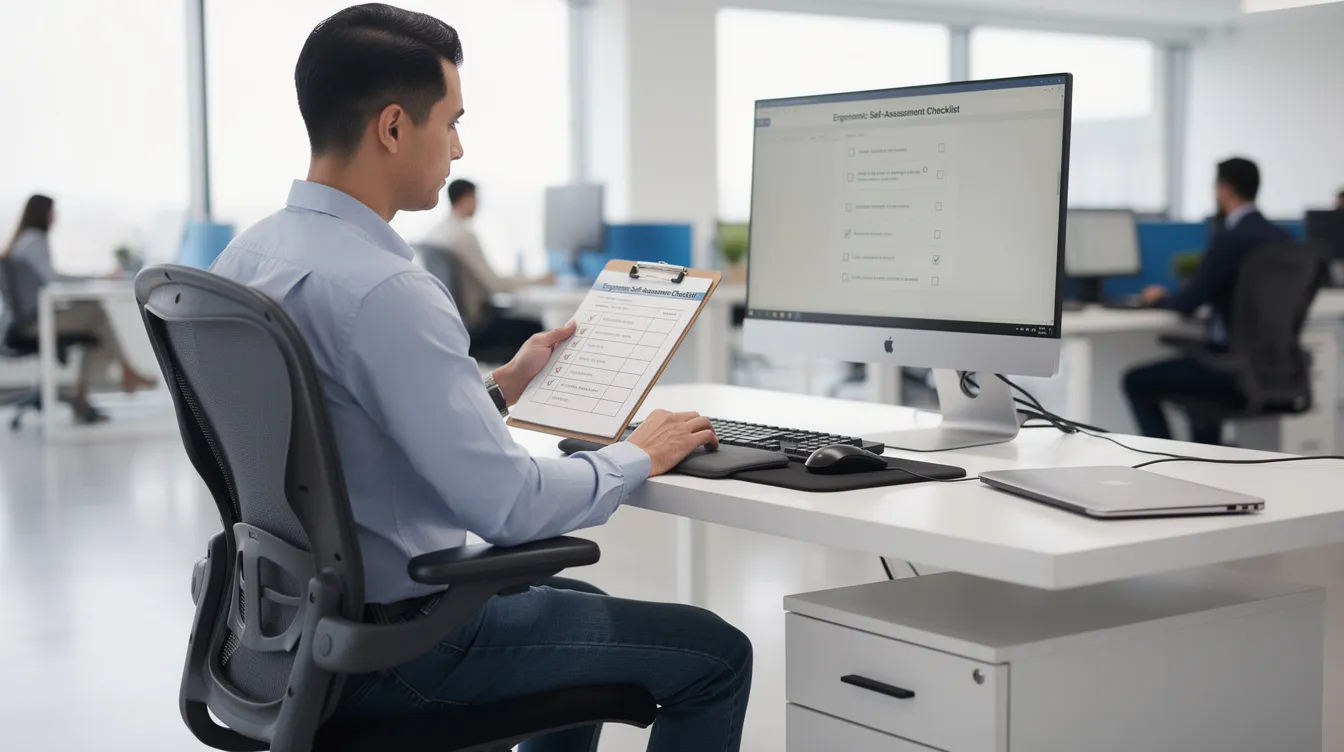
Support hybrid workers with ergonomic home office setups by defining minimum standards for a home desk and chair, providing a subsidy or allowance for essential items (external monitor, keyboard, mouse, chair), and issuing visual setup guides with photographs of correct and incorrect arrangements. Self-assessment checklists empower employees to evaluate their own remote workstation and flag issues before they develop into chronic discomfort.
For co-working and client-site work, issue portable accessories-laptop stands, foldable keyboards and compact mice-and develop policies specifying ergonomic minimums even in non-office locations. During IT onboarding, include equipment issuance with clear setup instructions so that new hires establish correct habits from day one rather than adapting to poor setups over time.
Training, Awareness and Reporting Culture
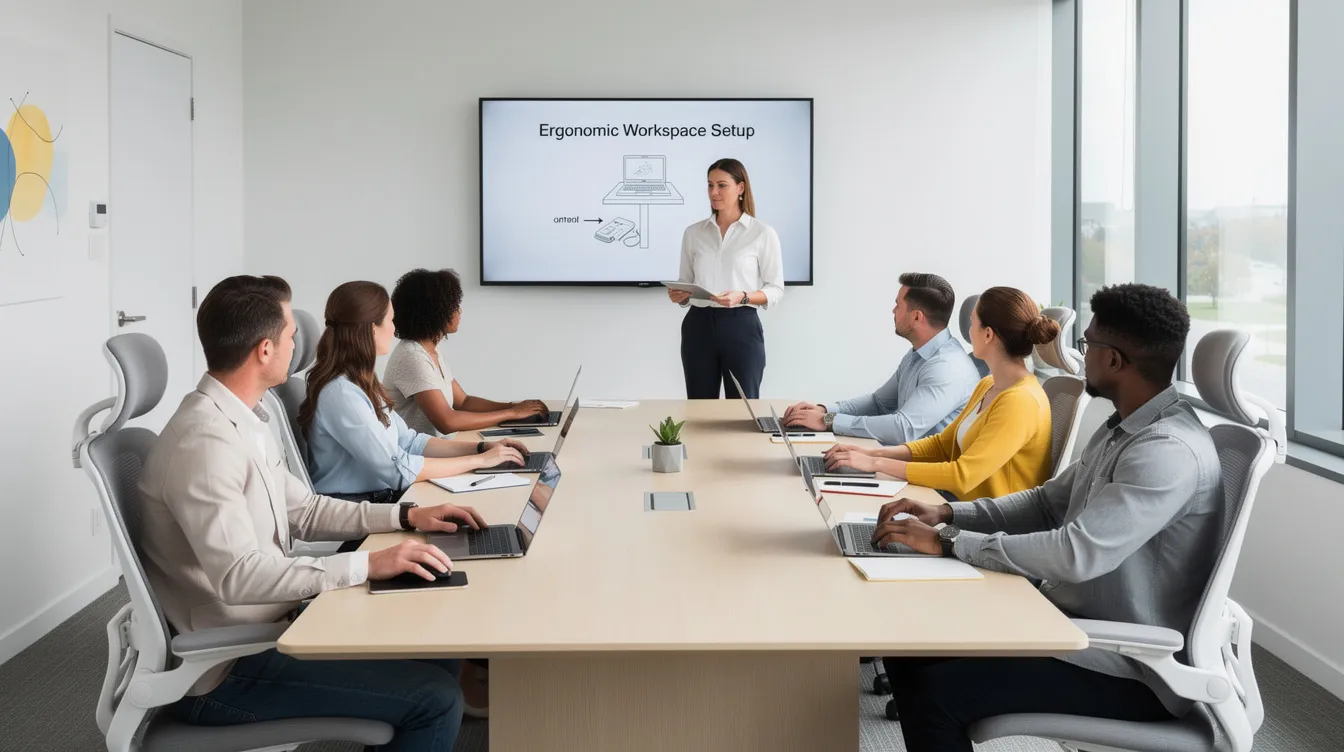
Essential training topics include basic posture principles, how to adjust chair and monitor height, early burnout symptoms and WRMSD warning signs, correct manual handling of IT equipment, and ergonomic self care during hybrid work. Formats should be varied: short e-learning modules for onboarding, live lunchtime clinics with an occupational therapist, posters and infographics in common areas, intranet microsites with short video tutorials, and periodic refresher campaigns. Regular check-ins can help identify individuals at risk of burnout, and line managers should be trained to ask about workstation comfort during one-on-ones while encouraging protected relaxation time instead of treating every gap in the day as available work time.
Clear, non-punitive reporting channels-a WSH representative, HR form, or anonymous online survey-encourage staff to flag discomfort and near-miss incidents such as tripping over cables or slipping because of clutter. When people feel helpless about reporting problems, issues go underground; a supportive culture where seeking support is normalised, with a support group internally or externally to complement formal channels for staff under strain, leads to positive change and earlier intervention. In practice, talking face to face with a manager, WSH representative, or trusted colleague can surface concerns earlier than text-only channels.
Selecting Ergonomic Equipment and Layout Options
Procurement decisions for chairs, desks, monitor arms and accessories must balance cost, flexibility, durability and ergonomic benefit. This section provides a comparison framework to guide HR and facilities teams, along with a look at accessories and tech tools that are commonly underutilised.
Comparing Common Office Furniture Options
|
Item |
Ergonomic Benefit |
Relative Cost |
Flexibility |
Best For |
|---|---|---|---|---|
|
Basic non-adjustable chair |
Minimal support; fixed height and back angle; risk of poor posture |
Low |
Low |
Temporary staff, minimal screen time |
|
Adjustable task chair (height, lumbar, armrests, seat depth) |
Supports correct posture, reduces low-back pain, accommodates different body sizes |
Medium–High |
High |
All long-hour desk roles: developers, analysts, designers |
|
Fixed-height desk |
Restricts posture variation; no sit-stand option |
Low |
Low |
Budget-constrained setups with low screen-time roles |
|
Height-adjustable sit-stand desk |
Promotes alternating between sitting and standing; reduces spinal load |
Higher (~2–3× fixed desk) |
High |
Teams with long continuous hours, health-focused culture |
|
Single monitor |
Lower cost, simpler setup |
Low |
Medium |
Roles with limited multitasking needs |
|
Dual monitors on adjustable arms |
Improves productivity; risk of neck rotation if poorly positioned; arms allow correct placement |
Higher |
High |
Analysts, developers, multi-panel users, designers |
Balance budget against WSH risk levels and staff needs: engineering teams with 10-hour screen days warrant adjustable task chairs and sit-stand desks, while sales teams with shorter desk time may be adequately served by good adjustable chairs and fixed desks. Common mistakes include prioritising aesthetics over adjustability, buying trendy but wobbly standing desks, selecting chairs that are difficult to adjust, and ignoring the needs of taller or shorter co workers.
Accessories and Tech Tools that Support Ergonomics
Commonly underutilised accessories include laptop stands, external keyboards and mice, monitor risers, footrests, document holders and anti-fatigue mats for standing roles. These are relatively low-cost items that deliver outsized ergonomic benefit, especially for hybrid workers who rotate between sites.
Software tools can reinforce good habits: break reminder applications prompt regular movement, posture coaching tools using webcams or wearable sensors provide real-time feedback, and timer software for focus-and-rest cycles (such as the Pomodoro technique) supports scheduled pauses, while brief practices such as meditation or deep breathing activate the body’s relaxation response during the workday. Exercise for 30 minutes daily can significantly reduce burnout symptoms, and some firms integrate short guided movement sessions into the workday.
Data collection is equally important. Anonymous discomfort surveys, WRMSD incident trend analysis and tracking of absenteeism and energy levels provide the evidence base for continuous improvement and demonstrate performance during bizSAFE or ISO audits. Ergonomic interventions can reduce WRMSD symptoms and improve comfort, but only when organisations measure outcomes and refine their approach over time.
Common Challenges and Practical Solutions
Singapore tech offices face fast growth, limited space, cost pressure, resistance to change and hybrid work uncertainties. These realities do not exempt organisations from WSH duties-they simply require pragmatic, phased approaches.
“We Don’t Have Budget for Ergonomics”
Build a simple cost-benefit case: quantify the costs of WRMSDs using medical expenses, workers’ compensation, absenteeism, sick days, turnover and lost productivity. With an average of approximately 338 WRMSD cases reported annually in Singapore and WRMSDs accounting for 26% of occupational diseases, the financial exposure is real. Burnout can lead to long-term health issues like colds and flu, and burnout affects about 35% of US healthcare workers in 2023, illustrating the scale of occupational consequences in knowledge-work settings globally. One-third of the global public health workforce struggled with burnout in 2024, and similar patterns affect health care workers and tech professionals alike.
Adopt a phased approach: prioritise high-risk teams first, invest in adjustable basics (chairs and monitor arms) before premium brands, and schedule upgrades during lease renewals or large procurement cycles. MOM offers free ergonomics training under Total WSH, and eligible companies can apply for grants to adopt ergonomic or technology solutions. MOSAIC Ecoconstruction Solutions can help identify applicable funding options and compliance pathways.
Resistance from Staff and Managers
Pushback often sounds like “I’m comfortable like this,” “We’re too busy to change desks,” or “Ergonomics is just cosmetic.” These responses reflect a misunderstanding of risk—when someone feels overworked or is experiencing burnout, and is constantly surrounded by negative people at work, the last thing they want is another change imposed from above. Solutions include delivering brief, evidence-based micro-training that connects poor setup to reduced performance and discomfort; engaging early adopters as champions who model behaviour; implementing quick wins such as repositioning monitors or adding laptop risers to demonstrate immediate comfort benefits; and integrating ergonomics into onboarding so new hires start with correct habits.
Leadership role-modelling matters: when managers adhere to good workstation setups, enforce breaks through deep breathing pauses or walking meetings, and sponsor ergonomic equipment, the message shifts from bureaucratic compliance to genuine care for emotional health and work life balance, especially because staff morale and social life can both suffer when burnout is normalised. Including WSH and ergonomics KPIs for people managers reinforces accountability. Burnout symptoms can escalate into anxiety and depression if unaddressed, so creating a culture where staff do not feel numb or increasingly cynical about workplace health initiatives requires visible commitment from the top.
Managing Ergonomics Across Multiple Sites and Hybrid Teams
Inconsistent standards across HQ, satellite offices, co-working spaces and home offices are a persistent challenge. The solution is to develop a standard “Office and Remote Ergonomics Guideline for Tech Staff” with clear minimums, visual setup guides and a self-check form. Centralised procurement for key items ensures quality and consistency, while remote virtual assessments led by WSH professionals extend coverage to distributed teams. When employees work from personal life spaces-dining tables, spare rooms, or shared apartments-minimum standards for chair support, monitor height and lighting must be clearly communicated and periodically verified.
Limited Internal WSH and Ergonomics Expertise
Many tech firms lack dedicated WSH or occupational health staff, and DIY assessments risk missing important ergonomic issues such as measurement norms, environmental interactions and the lifestyle causes of chronic discomfort. Upskill HR or facilities staff via accredited WSH courses, and partner with external consultants like MOSAIC Ecoconstruction Solutions for baseline assessments, policy drafting, periodic reviews and bizSAFE or ISO 45001 certification support. For growing tech SMEs, an outsourced or part-time EHS/WSH officer provides professional help without the overhead of a full-time hire, ensuring that risk assessments reflect current best practice and that the organisation can respond effectively when hidden office hazards surface.
Conclusion and Next Steps
Ergonomics is a core part of WSH for the office tech sector in Singapore, directly affecting comfort, productivity, legal compliance and employer branding. Proactive ergonomic risk management fulfils statutory WSH duties, helps staff reduce stress, and supports sustainable growth for startups and established tech firms alike. Effective ergonomics in office environments reduces musculoskeletal risks, and when combined with attention to mental health, enough sleep, a healthy diet and supportive relationships, it creates a workplace where people can perform at their best without feeling emotionally drained.
Take these next steps to move from awareness to action:
-
Conduct a quick ergonomic walk-through of your current office, noting workstation setups, monitor positions, chair conditions and lighting
-
Review your WSH risk assessment to ensure ergonomic hazards-prolonged sitting, repetitive typing, laptop-only setups-are explicitly included
-
Draft or update office safety and ergonomics guidelines aligned with MOM/WSH guidance and SS 514 specifications
-
Plan short awareness training for staff covering posture, equipment adjustment, WRMSD warning signs and when to report discomfort
-
Engage an external WSH/ergonomics consultant like MOSAIC Ecoconstruction Solutions for a formal assessment if internal capability is limited
Related topics worth exploring next include mental wellbeing and burnout prevention in tech teams as part of Total WSH, office emergency preparedness, and integrating ISO 45001 and bizSAFE frameworks into tech operations to build a comprehensive safety management system.
Additional Resources for Office WSH and Ergonomics
-
MOM/WSH Council ergonomic guidelines: The WSH Guidelines on Improving Ergonomics in the Workplace provide checklists, assessment tools and practical recommendations for office settings
-
WSH National Statistics Reports: MOM publishes annual and half-year WSH performance data, including WRMSD incidence rates and occupational disease breakdowns-essential reading for building a cost-benefit case
-
SS 514:2016 Code of Practice for Office Ergonomics: Available through Enterprise Singapore, this standard provides normative workstation design specifications referenced in WSH audits and procurement
-
MOSAIC Ecoconstruction Solutions’ services: Ergonomic risk assessments for tech offices, WSH audits, bizSAFE and ISO 45001 advisory, design-for-safety input for new office fit-outs, and outsourced EHS manpower for growing teams
Contact MOSAIC to request sample checklists and office-ergonomics assessment templates as a starting point for your programme. Always check for the latest MOM and WSH Council updates, as standards and guidelines are periodically revised-notably, from 1 December 2025, MOM expanded the occupational disease list to include WRMSDs beyond upper limbs, increasing reporting and compensation obligations for all employers.